
Every angle. One tap.
All the pro features, unlocked from the first launch. Zero subscriptions.
-
Face Mode
Live background removal: your background disappears in real time and only you stay, placed over the view of the back camera. No green screen.
-
Picture in Picture
Your front camera sits in a small picture over the back camera's view. Make it a rectangle or a circle, drag it anywhere, pinch to resize; the size is remembered.
-
Split Screen
Side-by-side or stacked, with adjustable 30–70% split ratio. Perfect for interviews.
-
Action Cam Mode
Main or ultra-wide lens at 60 fps with the steadiest stabilization level SplitRig offers. Smooth footage at speed, no accessory.
-
Tap to Focus, Hold to Lock
Tap anywhere in the preview to pull focus exactly where you want. Press and hold to lock focus and exposure on that spot, just like the native camera.
-
Face Mode Backdrop
In Face Mode, swap the live scene behind you for any photo from your library. A virtual background with the green-screen look and no green screen, so you can put yourself anywhere.
-
Apple Watch Remote
Start, stop, switch layouts, change zoom, swap cameras, toggle flash, mute, and screenshot, all from your wrist.
-
Camera Control + AirPods
iPhone 16+ Camera Control button: record, zoom, exposure. AirPods stem (iOS 26): hands-free record and screenshot.
-
Library + recovery
Browse, replay, and save every clip in the built-in Library. SplitRig saves as it records, so an interrupted take is recovered automatically, up to its last couple of seconds.
-
On-device only
Zero data collected. Zero accounts. Zero analytics. Your footage never leaves your iPhone.
SplitRig spec sheet
SplitRig
- Max resolution
- 4K at 30 fps, 40 Mbps, rear camera on supported iPhonesthe Picture in Picture or Split Screen file is 4K; the front keeps its own resolution
- Frame rates
- 24 or 30 fps; 60 fps at 1080p in Action Cam24 fps is the cinematic, coolest-running choice
- Saved file
- One synced file, straight to Photos as recorded (.mov)no export step, no re-compression
- Layouts
- Picture in Picture, Split Screen, Face Mode, Single CameraPicture in Picture as a Rectangle or a Circle; Face Mode: live background removal, any photo as backdrop; Split Screen 30 to 70%
- Lenses
- Every lens and zoom level, 0.5x ultra wide to telephotoon iPhones that have those lenses; Action Cam supports 0.5x
- Stabilization
- Off, Standard or Stable on the rear, chosen per modeAction Cam uses the iPhone's top tier; a 16:9 front is always stabilized
- Teleprompter
- Built in; script visible only to you, never in the video
- Audio
- USB-C and Lightning mics, wireless kits via receiver, 48 kHzhot-swap mid-recording; music keeps playing
- Hands-free control
- Apple Watch app, AirPods shutter, Camera Control, volume buttonsAirPods Pro 2, AirPods 4 or AirPods Pro 3 on iOS 26; Camera Control on iPhones with it
- Live overlays
- Seven live metrics burned in: GPS speedometer, pace, distance, altitude and morealso duration, sound level and goal gauge, plus the SplitRig logo
- Long-shoot performance
- Smart recording engine, tuned with Apple's native camera featuresfor pro-grade performance, with no time limit
- Crash-safe saving
- Written as it records; interrupted takes return on a recovery card2 s fragments: a take is kept up to its last couple of seconds
- Time limit
- No time limit, at any resolution
- Focus and exposure
- Tap to focus, exposure slider, hold to lock focus and exposure
- Watermark
- SplitRig logo, removable free in one tap
- Price
- Free; no subscription, no in-app purchases, every feature works from first launch
- Ads
- No ads
- Account and privacy
- No account; no tracking, everything stays on the iPhone
- Devices
- iPhone 11 and later, iOS 26 or later
- App languages
- 10 languages: English, Arabic, Spanish, French, Japanese, Korean, Portuguese, Turkish, Vietnamese, ChinesePortuguese (Brazil), Simplified Chinese
Teleprompter
Read your script right on the preview while you record. It scrolls at your own pace, stays visible only to you, and never appears in the saved video or a screenshot.
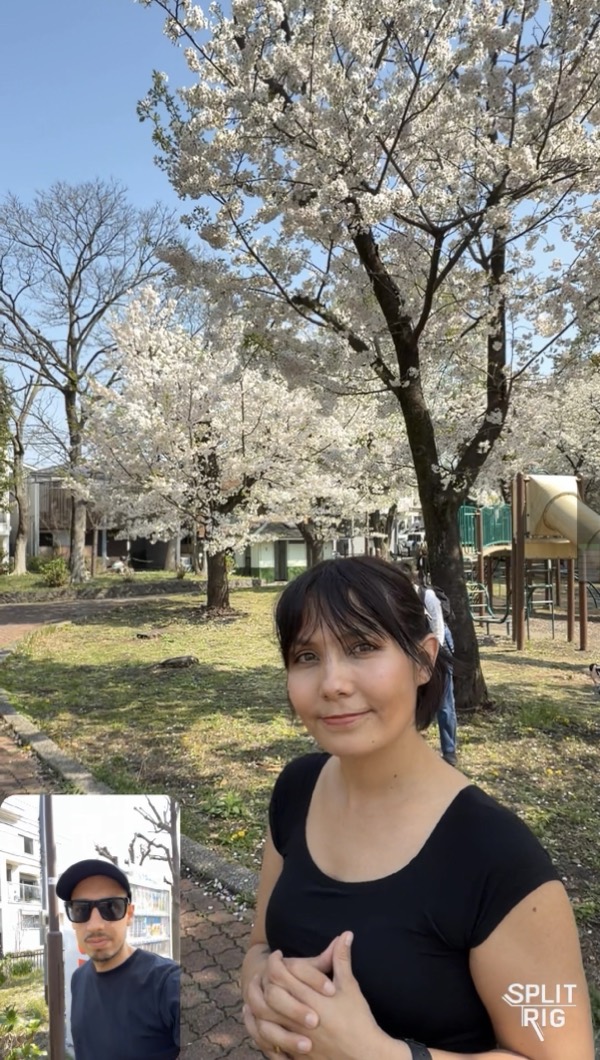
Face Mode, in landscape.
A wider view behind you, with your live speed and sound level right on it.
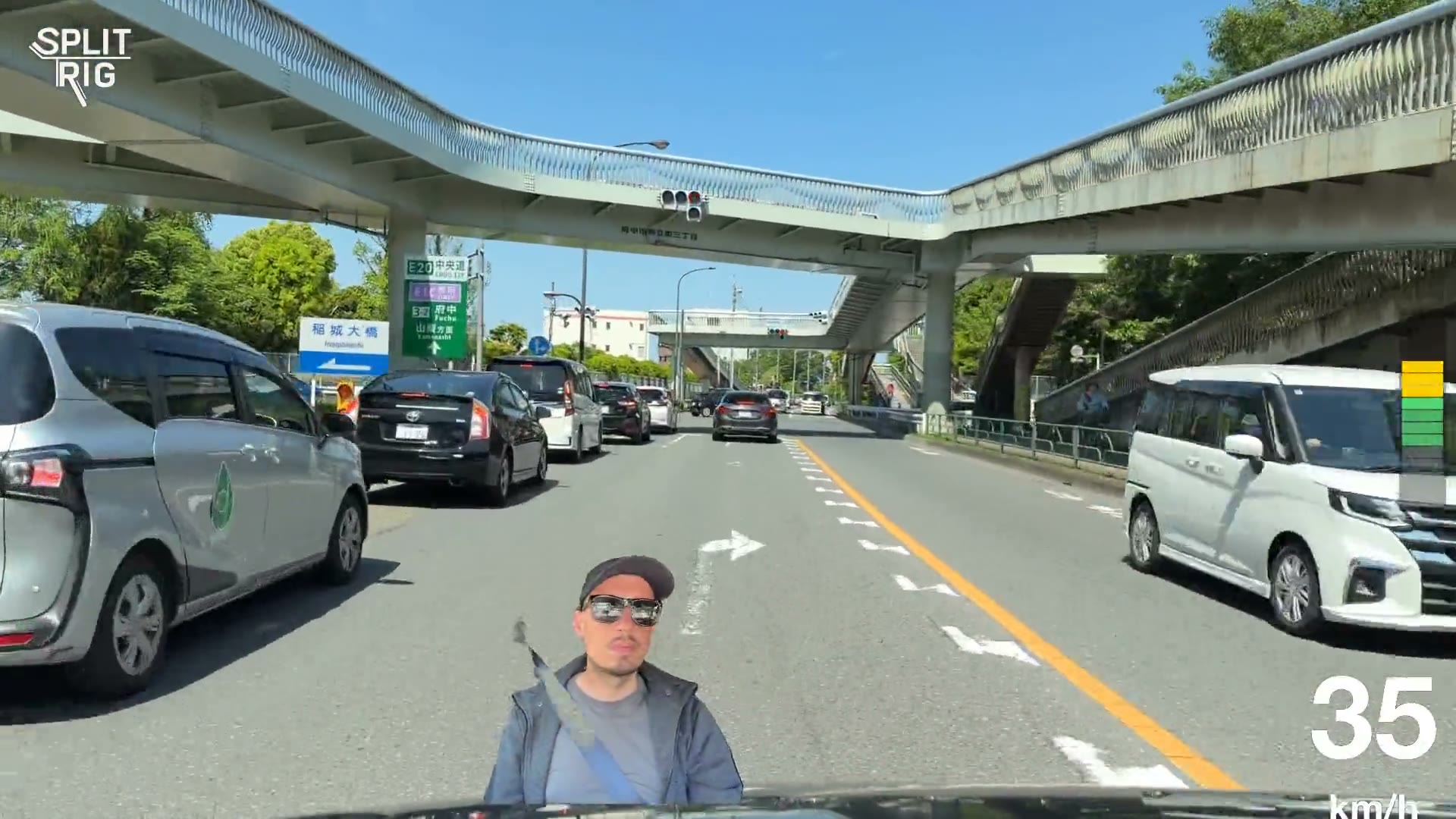
Pro-grade dual-camera recording on iPhone.
Optimized for every iPhone from iPhone 11 on. SplitRig runs on a smart recording engine, tuned with Apple's native camera features to give you the best professional performance possible. Stable and reliable, take after take. You pick the stabilization and the frame rate, and your video is saved as you record. No time limit. No paywall. No ads. No accounts. Just the rig.
- Resolution
- 4K ULTRA HD · rear camera at 30 fps on supported iPhones
- Action Cam
- 60 fps
- iPhones
- 11+
- Price
- $0
Made by a small team in Tokyo.For creators who don't compromise.
No subscriptions, no ads, no accounts, and the price stays zero. The next time the moment matters, hit record once and capture every angle.