
iPhone 11 and later
Your iPhone has two cameras. Use both at the same time.
SplitRig is the pro-grade dual camera app for iPhone: what you see and your reaction, in one video. Up to 4K on the back camera of supported iPhones.

- Free forever
- Yours to monetize
- No accounts
- No data collected
- No ads
Built for every kind of creator.
Whatever you record, SplitRig was built for you.
-
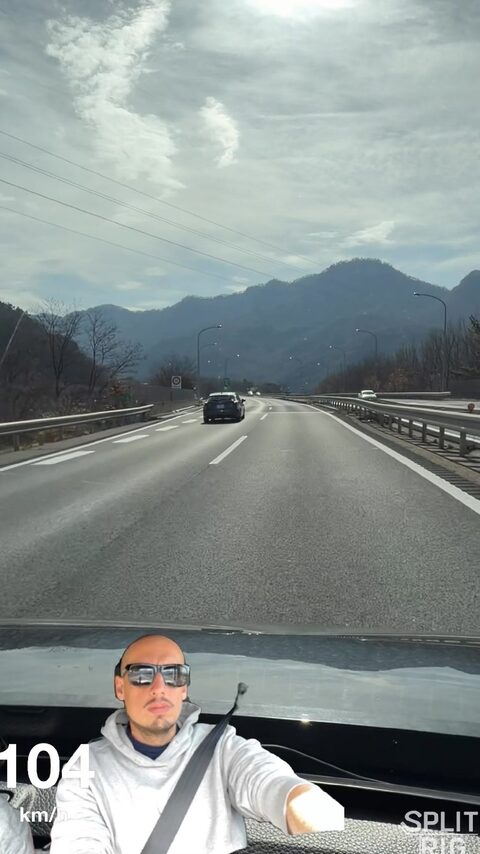
Driving ·
Motorbike · Karts Speed
-
Cycling ·
Running · Hiking Exercise
-
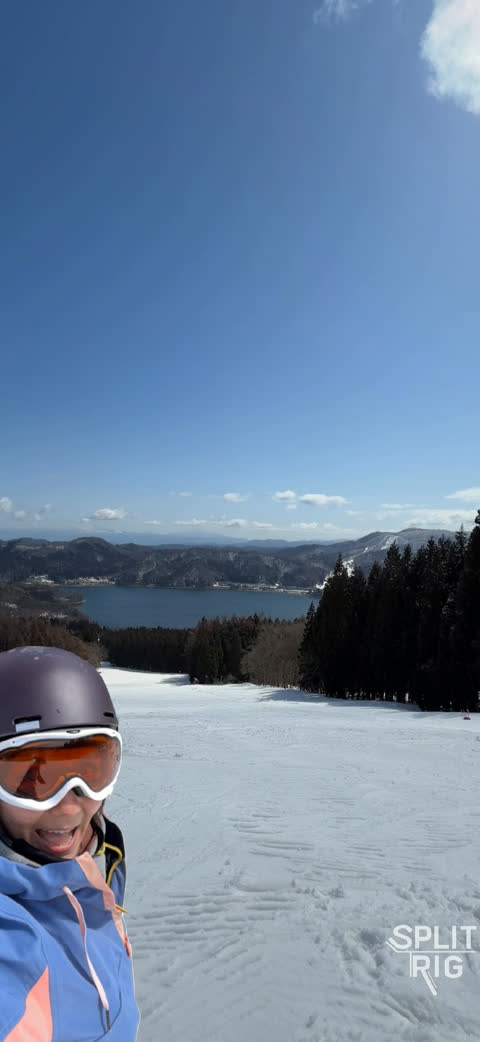
Ski ·
Snowboard · Wakeboard Action sports
-
Travel ·
Daily · Food Vlogs
-
Gaming ·
Reviews · Reactions Reacts
-
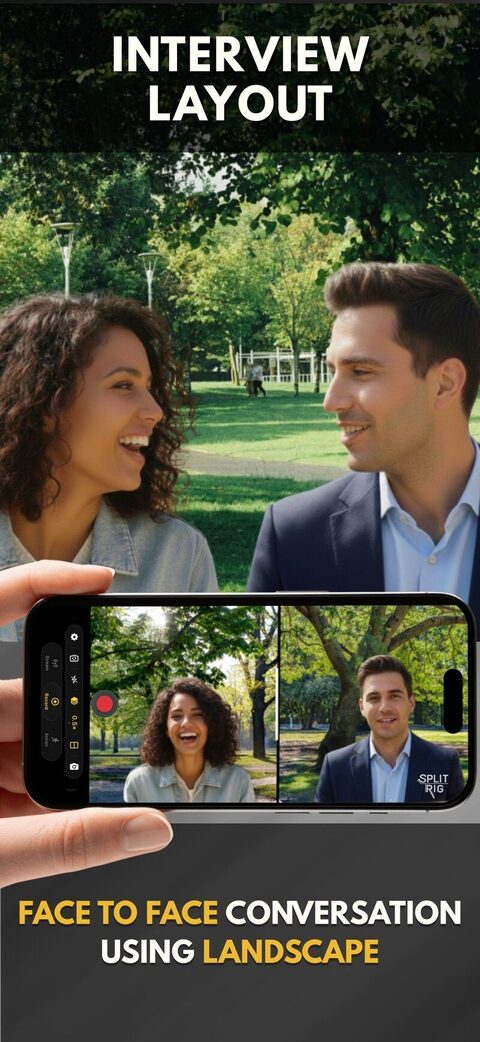
Podcasts ·
BTS · Documentary Interviews
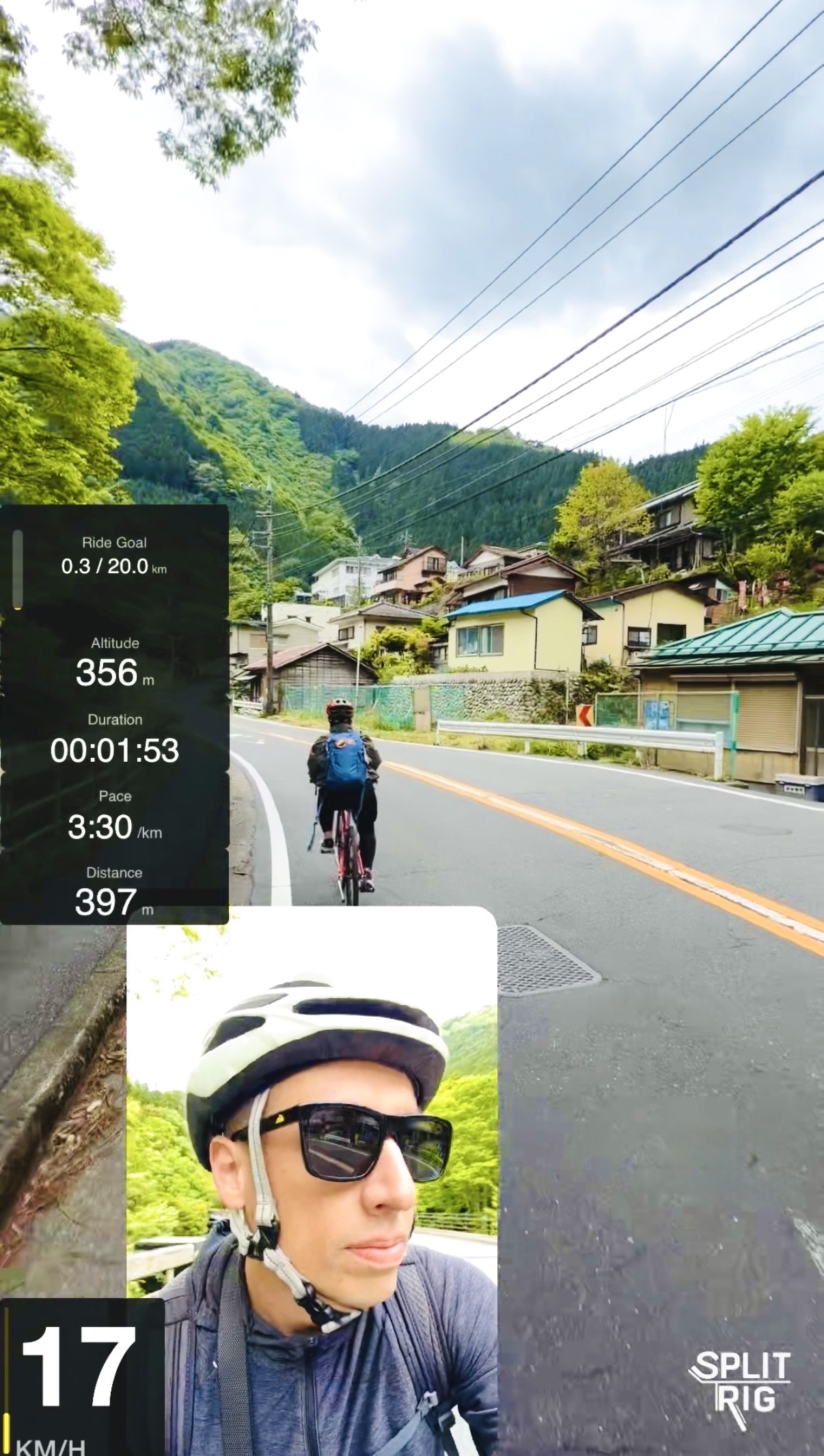
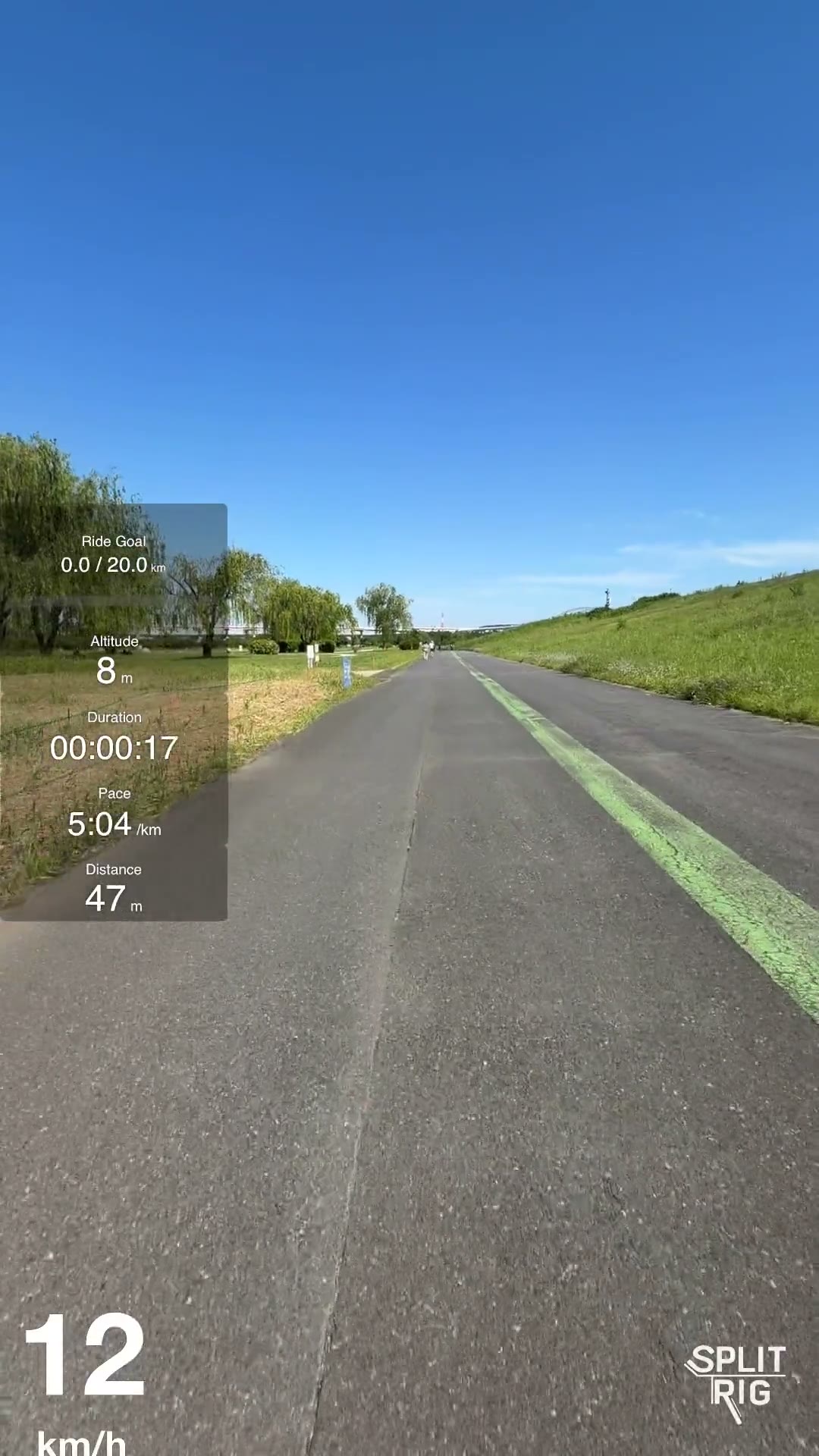
Seven live overlays. Baked into your video.
Drag, drop, resize, and every overlay updates live as you record. Save your favorite set as My Widgets, then show or hide them all in one tap. No editor required.
- 14 mph
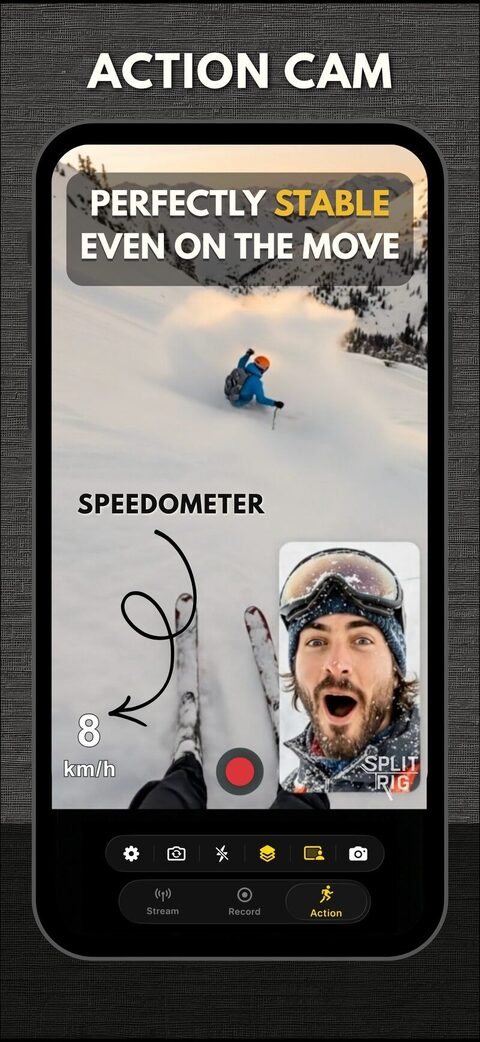
GPS Speedometer
Real-time GPS speed in mph or km/h, updated twice per second. Drive, ride, run: the number on screen is the number you were doing.
- Distance 0.9mi
Distance
Total distance traveled, ticking up live as you move. Perfect for ride recaps, run vlogs, and road-trip reels.
- Goal 0.9/2mi
Goal Gauge
Set a distance target. The bar fills inside the video as you go: instant context for "did they hit it?".
- Duration 04:12
Duration
A frame-locked stopwatch baked into the recording. No squinting at the clock: proof of how long the moment lasted.
- Pace 4:23/mi
Pace
Live min/mi or min/km, in tabular monospace so the number doesn't jitter. Runners, cyclists, hikers.
- Altitude 1490ft
Altitude
GPS-derived elevation in feet or meters. Climbs, descents, summits: every meter of vertical, on screen.
-
Sound Level
A 16-segment VU meter, no text, just bars. Green for nominal, amber for caution, red for clip. Spot a bad take before you ever leave the field.
Watch the full clip
Captured on a real ride. Every widget live.
The essentials, first.
The things people check before their first recording.
-
Does SplitRig record front and back camera at the same time?
Yes. SplitRig records the front and rear iPhone cameras simultaneously into one ready-to-post video file, with nothing to sync afterwards. Layouts include Picture in Picture, Split Screen, Single Camera, and Face Mode (live background removal).
-
Is SplitRig free?
Yes, completely free, with no in-app purchases, no subscription, and no ads. Every feature is unlocked from the first launch, and the SplitRig logo comes off free in one tap.
Best dual camera app for iPhone -
What iPhones does SplitRig support?
Every iPhone from iPhone 11 on, running iOS 26 or later. iPhone 16+ unlocks the Camera Control button. iOS 26 + AirPods Pro 2 / AirPods 4 / AirPods Pro 3 unlocks the AirPods stem remote.
Real footage. Zero edit.
Five creator scenarios captured front + rear in one tap.
-
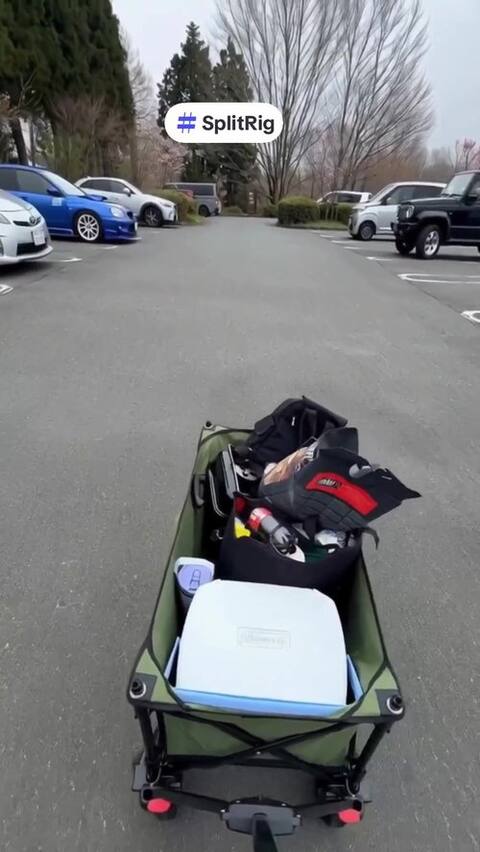 0:14Vlog
Tokyo BBQ, both lenses.
Tokyo · vlogging · two cameras, one tap
-
 0:19BBQ
What SplitRig actually captures.
Vlogging · front + rear in one file
-
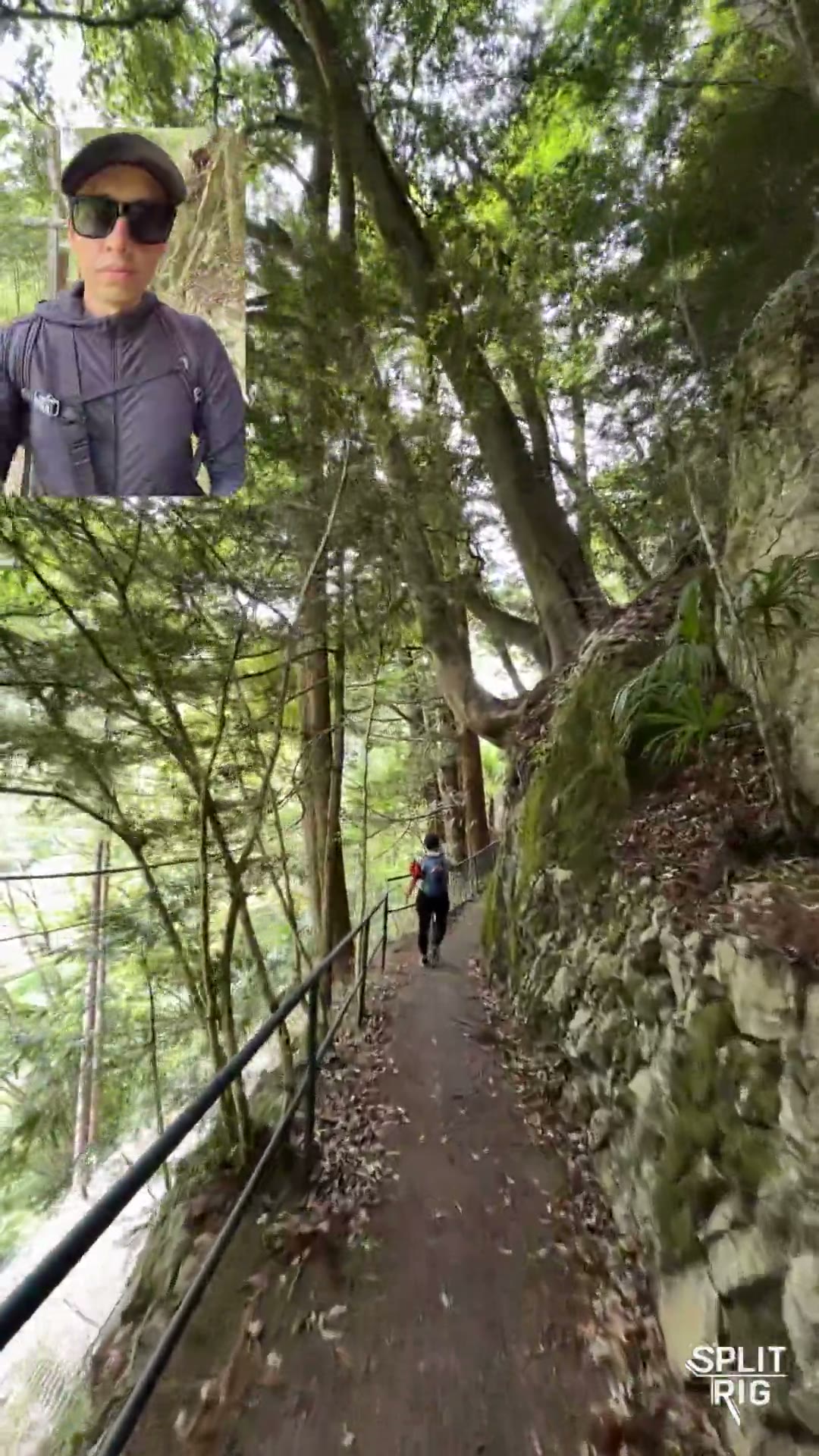 0:25Picture in Picture
Drag it anywhere. Even mid-hike.
Picture in Picture · draggable PiP bubble · hiking
-
 0:14Split Screen
Side by side. Front and rear.
Split Screen · 30–70% ratio · snowboarding
-
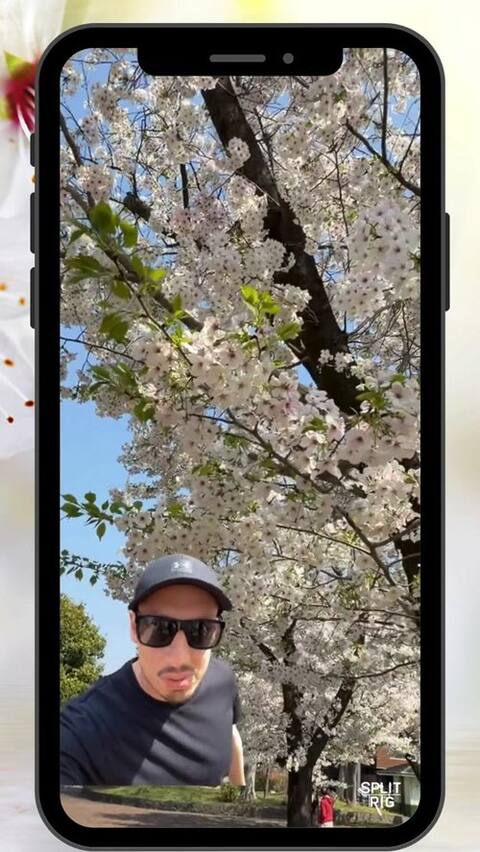 1:31YouTube Short
Sakura vlog · made in SplitRig.
Tokyo cherry blossom · French subtitles
Real creators. Real reviews.
Launched March 2026. Early creators love it. Read a few of their reviews.
-
This app is great because I don't have to use an iPhone 17 and I love to use it for dual recording.
-
Works just like described! You will be able to [use] dual camera mode on an older iPhone device, with Picture in Picture Mode, and also a cut-out of yourself in the videos.
-
I finally found an app that works smoothly and is actually free without ads with all its features like speedometer, [Face Mode] background remover, split screen where the scenes can be adjusted! … Thank you for this app!
-
When I downloaded it I thought certain quality, size, and focus settings would unlock with a paid version, but to my surprise everything was already working and configurable from the very first moment. I recorded an almost complete concert with the app, at excellent quality for social media. 100% recommended.
Original: Cuando la descargué pensé que ciertos ajustes de calidad, tamaño y enfoque se desbloquearían con una versión paga, pero para mi sorpresa ya estaba todo funcional y configurable desde el primer momento, grabé un concierto casi completo con la app con una calidad excelente para redes sociales. Recomendada al 100%
-
Finally, an app that delivers on its promise! SplitRig lets me record front AND rear camera at once, with live Picture-in-Picture. [Face Mode] removes the background automatically. Mind-blowing. And the real-time speedometer is a stroke of genius for road videos. Clean interface, pro results. A must-have for content creators!
Original: Enfin une app qui fait ce qu'elle promet ! SplitRig me permet d'enregistrer la caméra avant ET arrière en même temps, avec le mode Picture-in-Picture en live. Le [Mode visage] retire l'arrière-plan automatiquement, c'est bluffant. Et le speedomètre en temps réel est une idée de génie pour les vidéos de route. Interface claire, résultats pro. Indispensable pour les créateurs de contenu !
-
Super useful app for … recording runs, snowboarding and bike rides. Feedback on the app is also handled fast!
-
Easy and intuitive to pick up. Tested it this morning to record and share a running video. Flawless result.
Original: Prise en mains facile et intuitive, testée ce matin pour enregistrer et partager une vidéo de course à pied ! Rendu impeccable.
-
Very responsive devs and nice app!
-
What a great app. I recommend it to everyone. Hats off to the developer.
Original: Böyle bir program harika olmuş herkese tavsiye ederim. Emeğine sağlık.
Every angle. One tap.
All the pro features, unlocked from the first launch. Zero subscriptions.
Four layouts
-
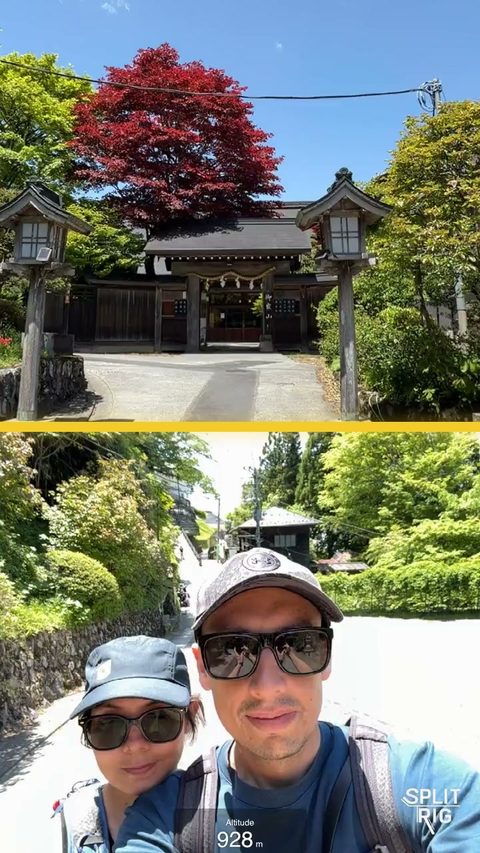
Split Screen
Side by side or stacked. Set the split from 30% to 70%.
-
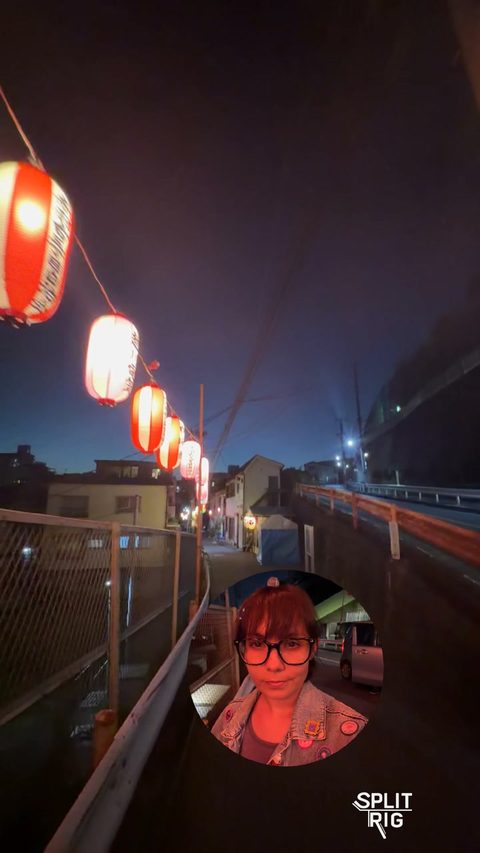
Picture in Picture
You in a small picture, a rectangle or a circle. Drag it anywhere.
-
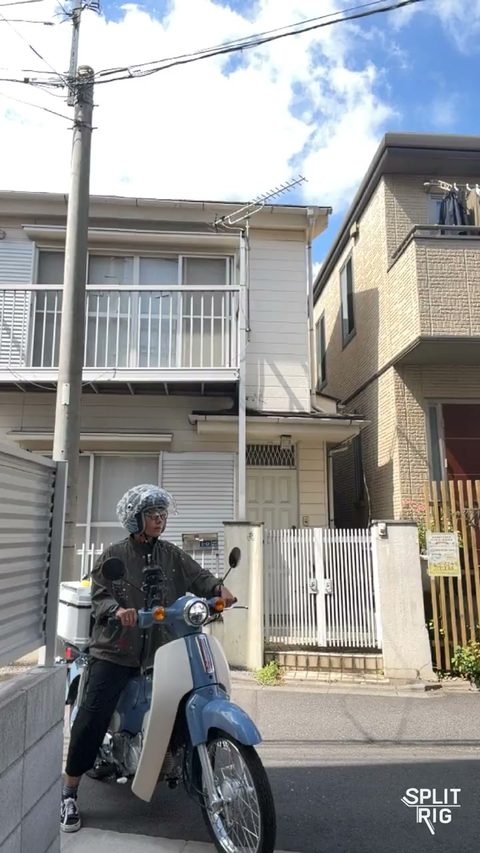
Single Camera
One camera at a time, with every lens and zoom level.
-
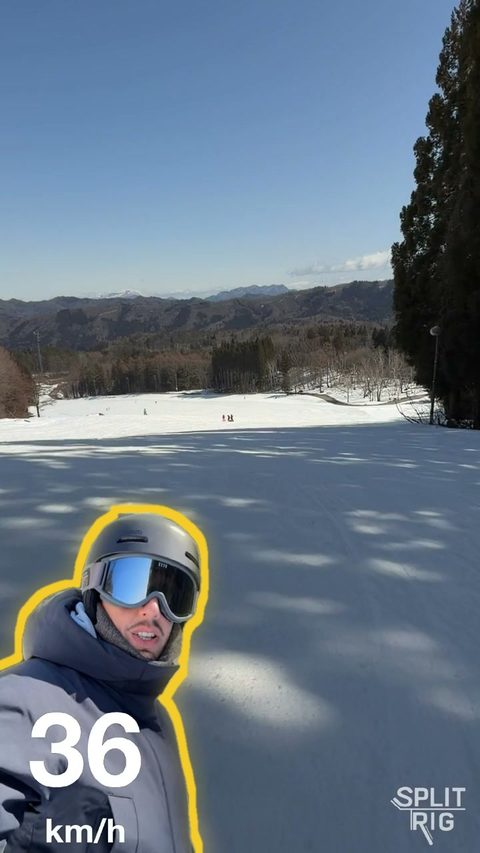
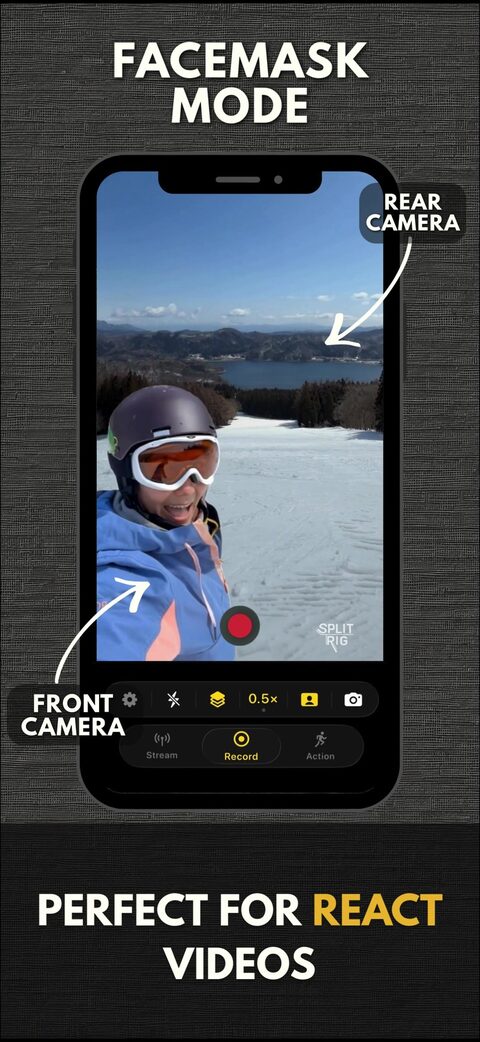
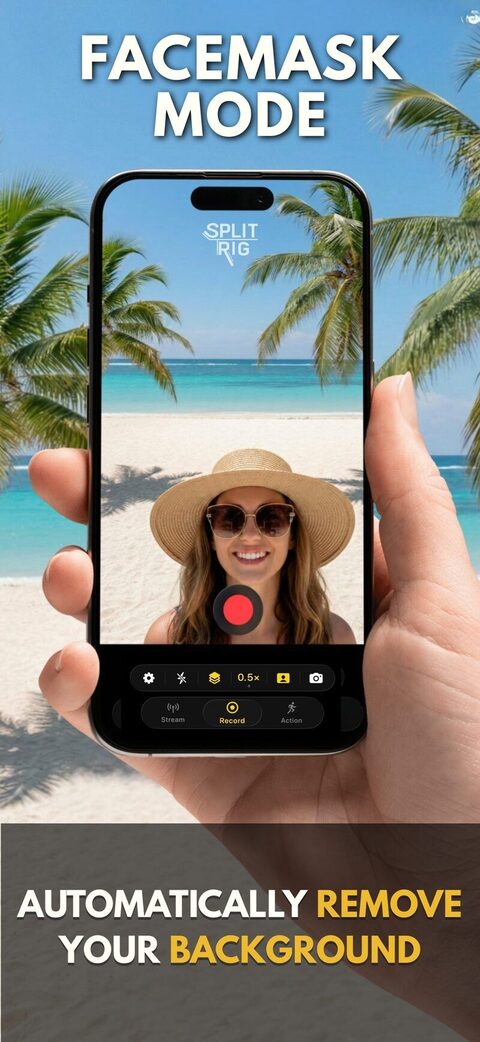
Face Mode
Live background removal, no green screen. Only you, over the back camera's view.
Everything else, also free
-
Action Cam Mode
Main or ultra-wide lens at 60 fps with the steadiest stabilization level SplitRig offers. Smooth footage at speed, no accessory.
-
Tap to Focus, Hold to Lock
Tap anywhere in the preview to pull focus exactly where you want. Press and hold to lock focus and exposure on that spot, just like the native camera.
-
Teleprompter
Read your script right on the preview while you record. It scrolls at your own pace, stays visible only to you, and never appears in the saved video or a screenshot.
-
Face Mode Backdrop
In Face Mode, swap the live scene behind you for any photo from your library. A virtual background with the green-screen look and no green screen, so you can put yourself anywhere.
-
Apple Watch Remote
Start, stop, switch layouts, change zoom, swap cameras, toggle flash, mute, and screenshot, all from your wrist.
-
Camera Control + AirPods
iPhone 16+ Camera Control button: record, zoom, exposure. AirPods stem (iOS 26): hands-free record and screenshot.
-
Library + recovery
Browse, replay, and save every clip in the built-in Library. SplitRig saves as it records, so an interrupted take is recovered automatically, up to its last couple of seconds.
-
On-device only
Zero data collected. Zero accounts. Zero analytics. Your footage never leaves your iPhone.
Open. Record. Share.
From app launch to a shareable video: three taps. No editor required.
Pro-grade dual-camera recording on iPhone.
Optimized for every iPhone from iPhone 11 on. SplitRig runs on a smart recording engine, tuned with Apple's native camera features to give you the best professional performance possible. Stable and reliable, take after take. You pick the stabilization and the frame rate, and your video is saved as you record. No time limit. No paywall. No ads. No accounts. Just the rig.
- Resolution
- 4K ULTRA HD · rear camera at 30 fps on supported iPhones
- Action Cam
- 60 fps
- iPhones
- 11+
- Price
- $0
Rotate. Same rig.
Every layout. Every widget. Native landscape: what you see is what gets saved.
-
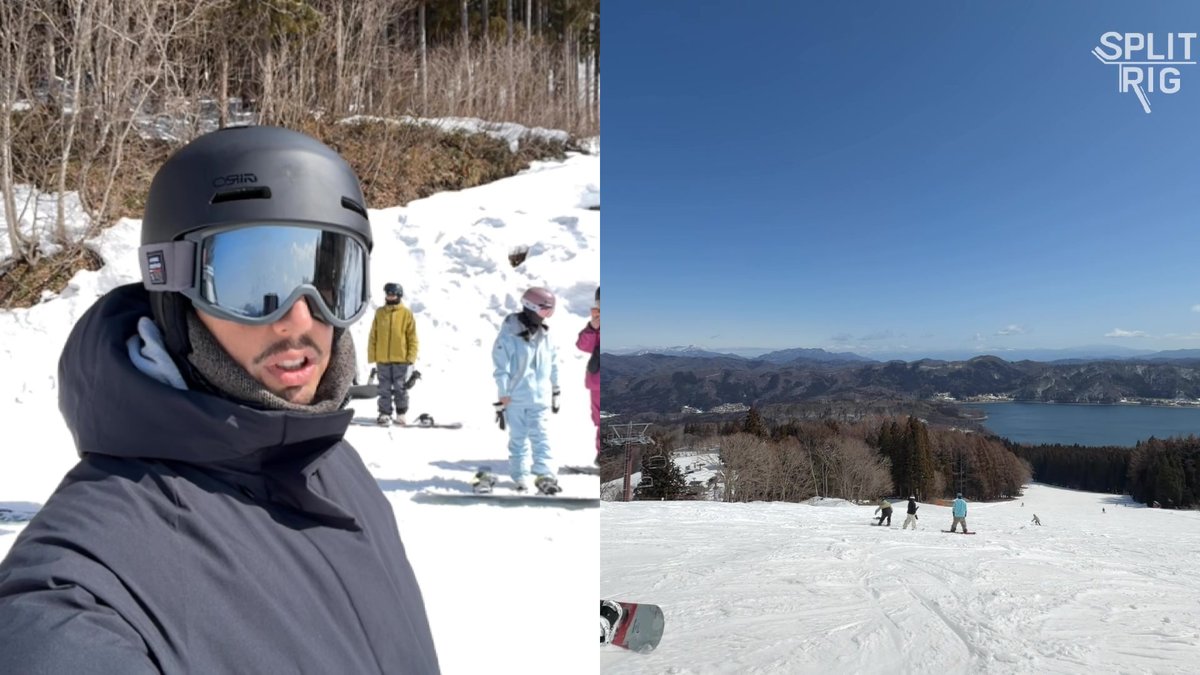 Vlog · Landscape
Snow vlog. Side-by-side. -
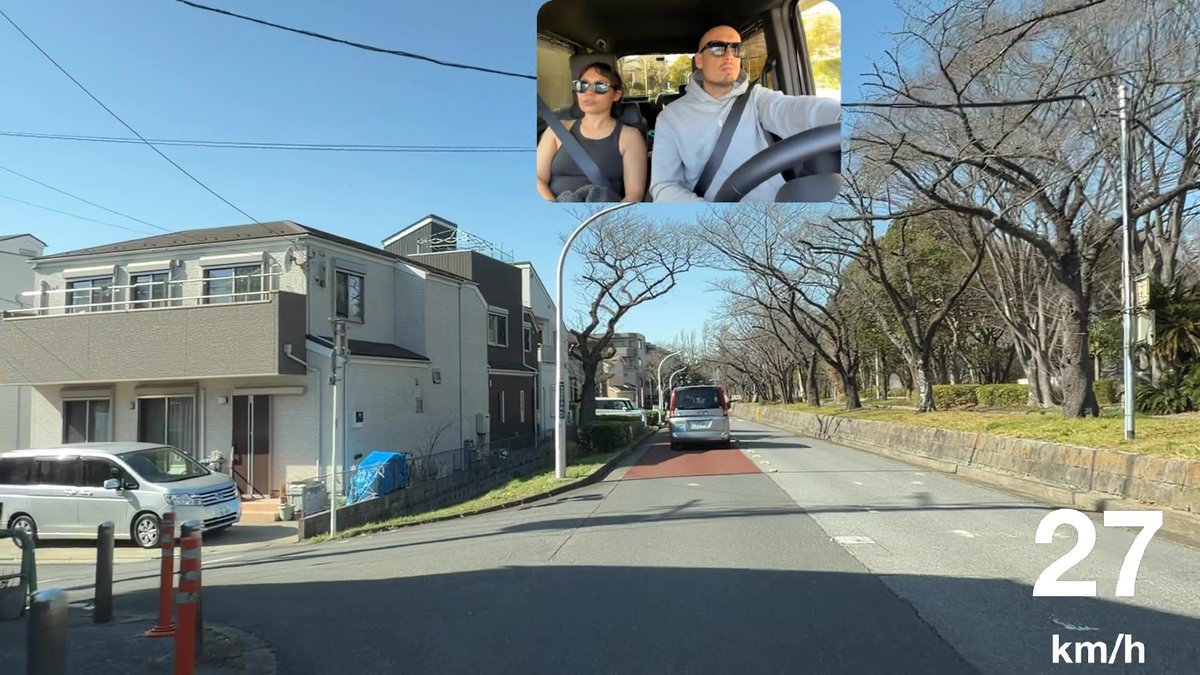 Drive · Landscape
Tokyo. The 3-second cut.
Questions, answered straight.
Direct answers to what real creators ask.
What resolution does SplitRig record at?
Up to 4K. On supported iPhones, SplitRig records the rear camera in 4K inside your Picture in Picture or Split Screen video, at 24 or 30 fps, in HEVC at 40 Mbps (4K 30 fps). Full HD 1080p at 30 fps is the default. Choose 24 fps for a cinematic look; Action Cam records at 60 fps for fast motion.
Are there any time limits on recording?
No. SplitRig sets no time limit at any resolution, up to 4K on supported iPhones, and no paid tier is needed. SplitRig saves your recording as it records.
Does SplitRig collect any data?
No. SplitRig collects zero personal data, has no analytics, and requires no account. All recordings stay on your device. Beyond camera and microphone, the optional permissions are Photos (to save recordings to your library), location (only when you enable a GPS overlay: Speedometer, Distance, Altitude, Pace, or Goal), and motion (for speed accuracy). No data leaves the device.
How is Face Mode different from Picture in Picture?
Face Mode removes your background live, on your iPhone: only you stay, placed over the view of the back camera, like a virtual green screen. Picture in Picture keeps the front camera's full picture in a small window you can move and resize, shaped as a rectangle or a circle.
Can I switch camera modes during recording?
Yes. You can switch between Face Mode, Picture in Picture, Split Screen, and Single Camera mid-recording without interruption. Zoom levels and camera swap also work mid-recording.
Does SplitRig work with Apple Watch?
Yes. The SplitRig Apple Watch companion gives you full control: start/stop, switch layouts, change zoom, swap cameras, toggle flash, mute audio, and take screenshots, all without touching the iPhone.
Can I use external microphones?
Yes. Plug a USB-C or Lightning mic into your iPhone (Rode, Shure, DJI, or a wireless kit's receiver) and SplitRig records from it, with no settings to change. Audio records at 48 kHz (AAC, 160 kbps) into the same file as your video. You can hot-swap mics mid-recording.
What activity types and overlays are supported?
Seven activity types: Walking, Running, Cycling, Driving, Skiing, Skating, General. Live overlays include Speedometer, Distance, Duration, Altitude, Pace, Goal Gauge, Sound Level Meter, and SplitRig Logo: all draggable, resizable, and baked into the recording.
Is SplitRig built for long recordings?
Yes. SplitRig runs on a smart recording engine, tuned with Apple's native camera features for pro-grade performance, with no time limit, and it saves your video as it records. For very long shoots, pick the Long Recording preset and turn on Eco Mode.
Can I use AirPods to start and stop recording?
Yes. On iOS 26 with H2-chip AirPods (AirPods Pro 2, AirPods 4, AirPods Pro 3), enable Camera Remote in Settings → [Your AirPods] → Camera Remote. A press on the stem then starts and stops recording in SplitRig, no need to touch the phone.
What is the best dual camera app for iPhone?
SplitRig. It records your front and back cameras together in one synced video on every iPhone from iPhone 11 on, up to 4K at 30 fps on the rear camera of supported iPhones. Action Cam records at 60 fps. It has a built-in teleprompter and live GPS overlays. Free, with no ads, no subscription and no account.
Made by a small team in Tokyo.For creators who don't compromise.
No subscriptions, no ads, no accounts, and the price stays zero. The next time the moment matters, hit record once and capture every angle.