
Your iPhone has two cameras. Why use only one?
The free dual-camera app for iPhone. No subscription, no account, no watermark. Made so any creator can record both cameras in one smooth, synced video, on the iPhone they already have.

- Free forever
- Yours to monetize
- No accounts
- No data collected
- Works on iPhone 11–17 Pro
Built for every kind of creator.
Whatever you film, SplitRig was built for you.
-
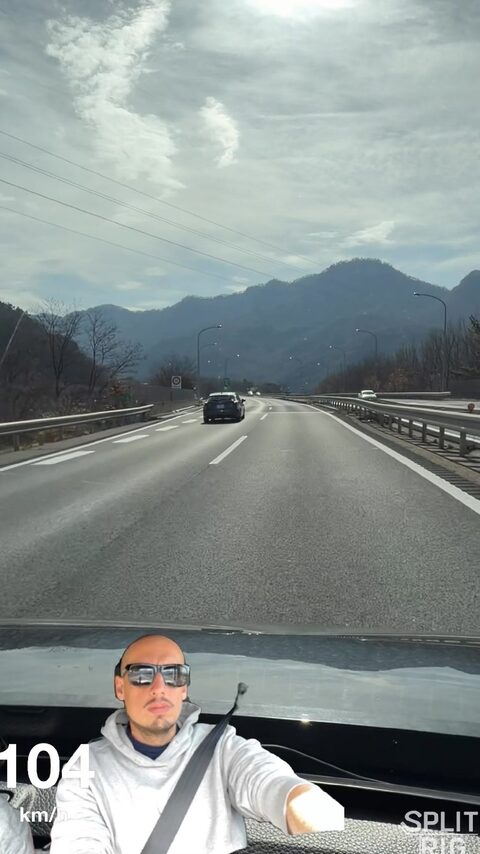
Driving · Motorbike · Karts
Speed
-
Cycling · Running · Hiking
Exercise
-
Ski · Snowboard · Wakeboard
Action sports
-
Travel · Daily · Food
Vlogs
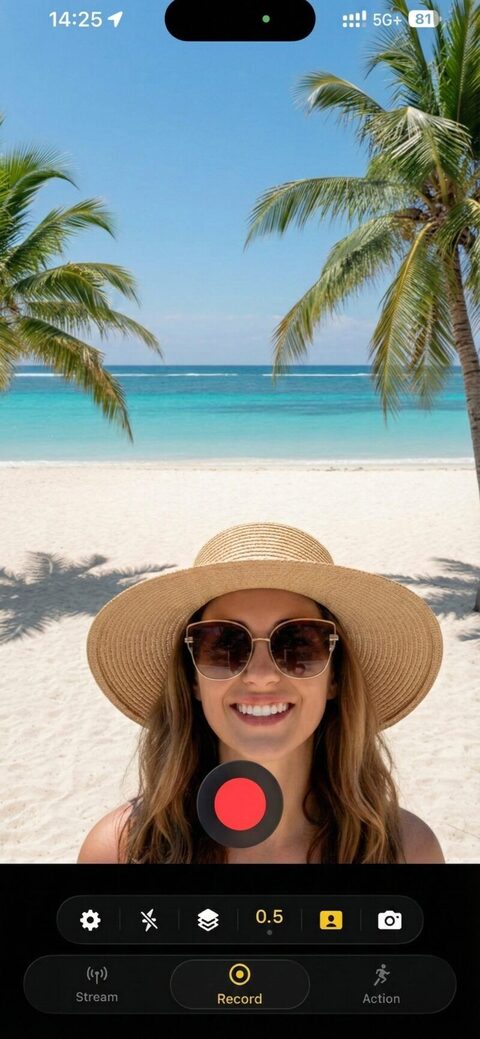
Seven live overlays. Baked into your video.
Drag, drop, resize: every overlay is composited frame-by-frame, right inside your recording. No editor required.
- Speed 14 mph
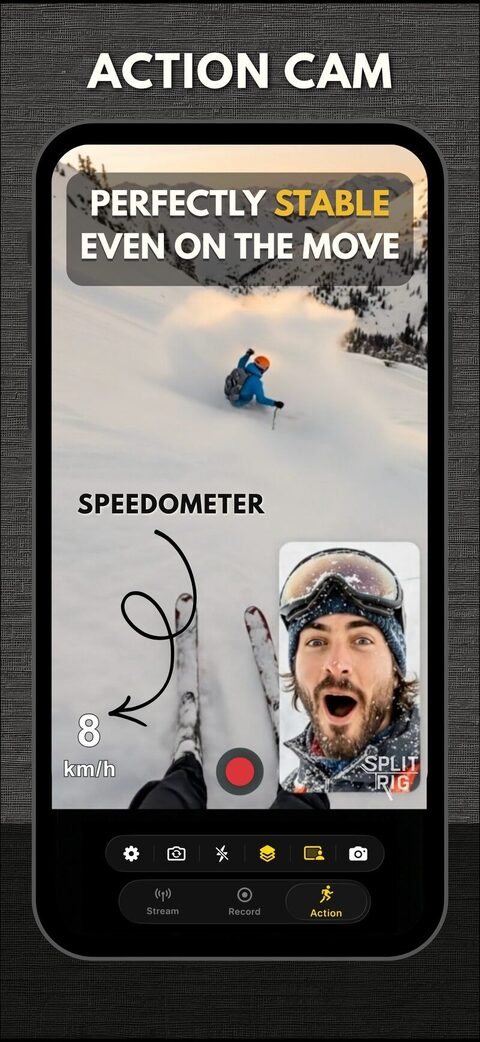
GPS Speedometer
Real-time GPS speed in mph or km/h, updated twice per second. Drive, ride, run: the number on screen is the number you were doing.
- Distance 0.9mi
Distance
Total distance traveled, ticking up live as you move. Perfect for ride recaps, run vlogs, and road-trip reels.
- Duration 04:12
Duration
A frame-locked stopwatch baked into the recording. No squinting at the clock: proof of how long the moment lasted.
- Altitude 1490ft
Altitude
GPS-derived elevation in feet or meters. Climbs, descents, summits: every meter of vertical, on screen.
- Pace 4:23/mi
Pace
Live min/mi or min/km, in tabular monospace so the number doesn't jitter. Runners, cyclists, hikers.
- Goal 0.9/2mi
Goal Gauge
Set a distance target. The bar fills inside the video as you go: instant context for "did they hit it?".
-
Sound Level
A 16-segment VU meter, no text, just bars. Green for nominal, amber for caution, red for clip. Spot a bad take before you ever leave the field.
-
Does SplitRig record front and back camera at the same time?
Yes. SplitRig records the front and rear iPhone cameras simultaneously to a single video file, with frame-perfect sync. Layouts include Picture-in-Picture, Split Screen, Single Camera, and Face Mode (Neural Engine background removal).
How to record both cameras on iPhone -
Is SplitRig free?
Yes, completely free, with no in-app purchases, no subscription, and no ads. Every feature is unlocked from the first launch.
-
What iPhones does SplitRig support?
Every iPhone from iPhone 11 to iPhone 17 Pro, on iOS 26 or later. iPhone 16+ unlocks the Camera Control button. iOS 26 + AirPods Pro 2 / AirPods 4 / AirPods Pro 3 unlocks the AirPods stem remote.
Real footage. Zero edit.
Five creator scenarios captured front + rear in one tap.
-
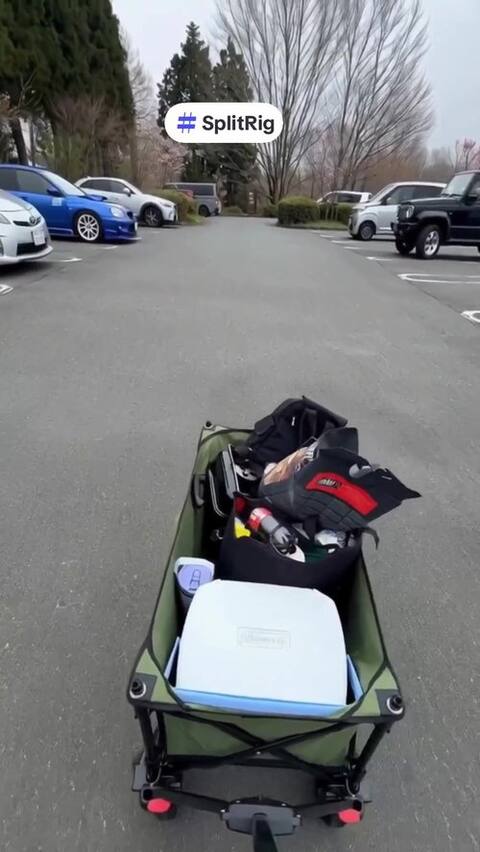 0:14Vlog
Tokyo BBQ, both lenses.
Tokyo · vlogging · two cameras, one tap
-
 0:19BBQ
What SplitRig actually captures.
Vlogging · front + rear in one file
-
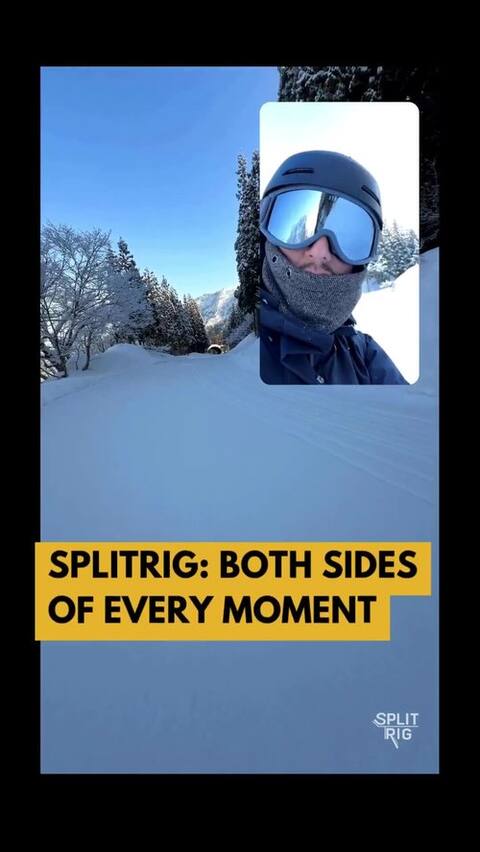 0:19PiP
Drag. Resize. Mid-shot.
Picture-in-Picture · adjust live · snowboarding
-
 0:14Split
Side by side. Front and rear.
Split Screen · 30–70% ratio · snowboarding
-
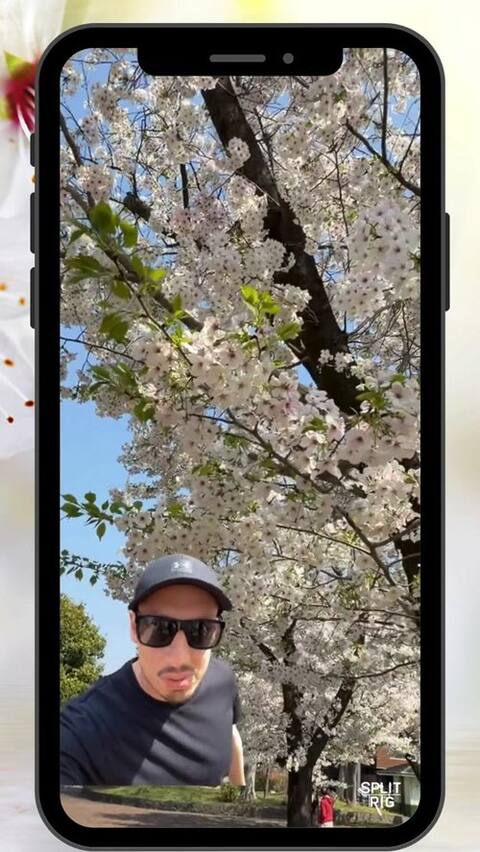 1:31YouTube Short
Sakura vlog · made in SplitRig.
Tokyo cherry blossom · French subtitles
Real creators. Real reviews.
Launched March 2026. Early creators love it. Read a few of their reviews.
-
I finally found an app that works smoothly and is actually free, no ads, with all its features: speedometer, Face Mode background remover, adjustable split screen. Thank you for this app!
-
Works just like described! You can use dual camera mode on an older iPhone, with Picture-in-Picture, and even a cut-out of yourself in the videos.
-
Enfin une app qui fait ce qu'elle promet ! SplitRig me permet d'enregistrer la caméra avant ET arrière en même temps, avec le mode Picture-in-Picture en live. Le mode Facemask retire l'arrière-plan automatiquement, c'est bluffant. Et le speedomètre en temps réel est une idée de génie pour les vidéos de route.
Finally, an app that delivers on its promise! SplitRig lets me record front AND rear camera at once, with live Picture-in-Picture. Face Mode removes the background automatically. Mind-blowing. And the real-time speedometer is a stroke of genius for road videos.
-
Super useful app for streaming and recording runs, snowboarding and bike rides. Feedback on the app is also handled fast!
-
Prise en mains facile et intuitive, testée ce matin pour enregistrer et partager une vidéo de course à pied ! Rendu impeccable.
Easy and intuitive to pick up. Tested it this morning to record and share a running video. Flawless result.
-
Böyle bir program harika olmuş herkese tavsiye ederim. Emeğine sağlık.
What a great app. I recommend it to everyone. Hats off to the developer.
Every angle. One tap.
Eight pro features. All unlocked from first launch. Zero subscriptions.
-
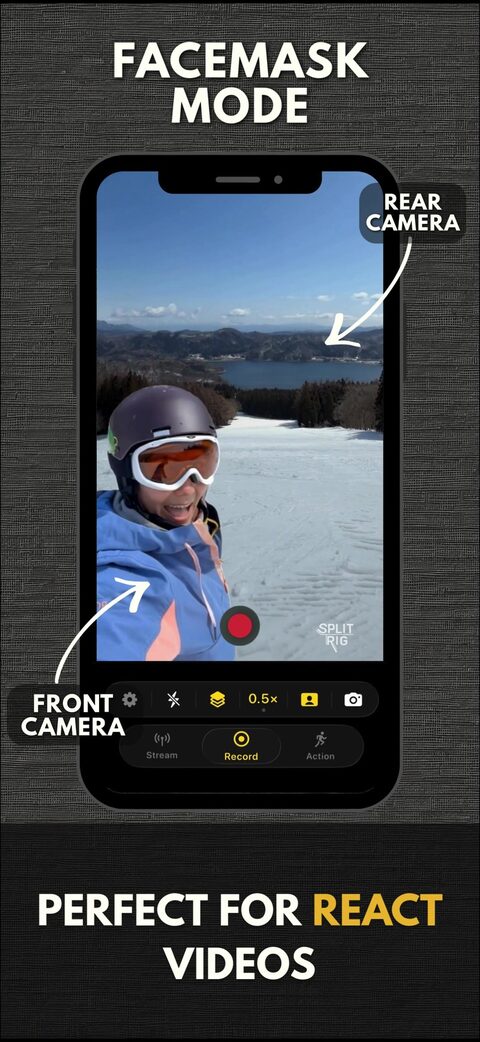
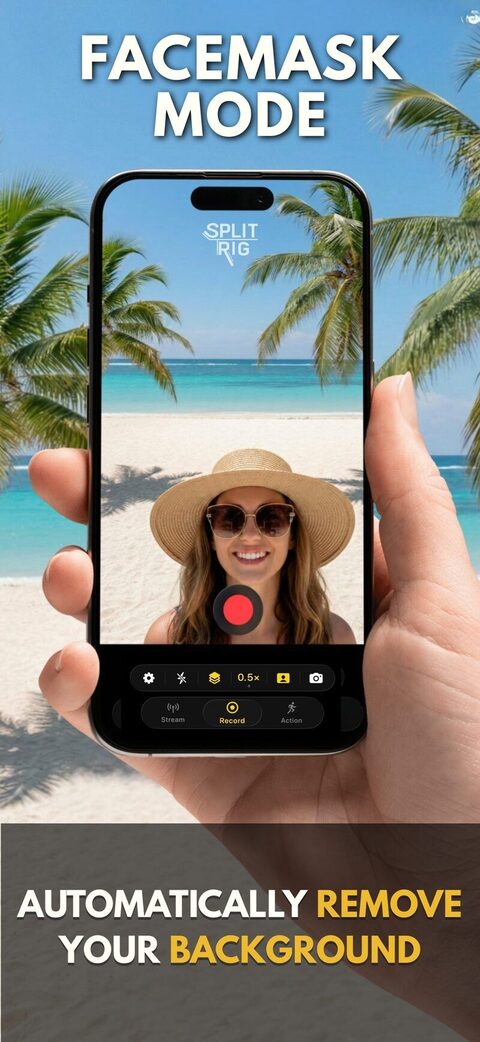
Face Mode
On-device Neural Engine removes your background in real time: you, floating over the action. No green screen.
-
Picture-in-Picture
Front camera floats over rear. Drag, pinch to resize. Position remembered per orientation.
-
Split Screen
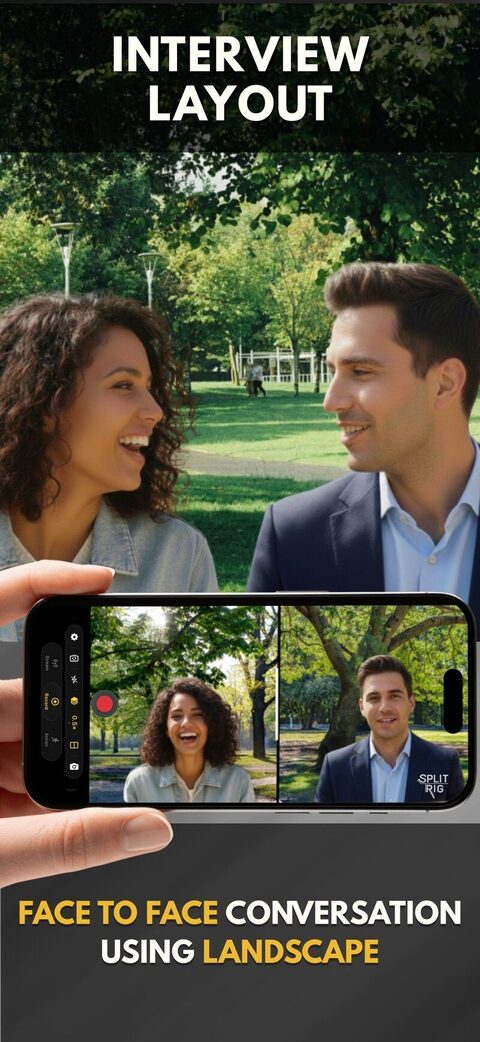
Side-by-side or stacked, with adjustable 30–70% split ratio. Perfect for interviews.
-
Action Cam Mode
Ultra-wide lens at 60 FPS with Cinematic Extended stabilization. GoPro-style smoothness, no accessory.
-
Apple Watch Remote
Start, stop, switch layouts, change zoom (Digital Crown), screenshot, all from your wrist.
-
Camera Control + AirPods
iPhone 16+ Camera Control button + AirPods stem (iOS 26). Hands-free record, zoom, exposure.
-
Pro Audio In
USB-C mics, AirPods, Bluetooth, Lightning. Hot-swap mid-recording. 48 kHz, perfectly synced.
-
On-device only
Zero data collected. Zero accounts. Zero analytics. Your footage never leaves your iPhone.
Open. Record. Share.
From app launch to a shareable video: three taps. No editor required.
The most stable dual-lens experience available on iPhone.
Optimized for every iPhone from iPhone 11 to iPhone 17 Pro. Smart thermal management lets you record longer than any competitor before the device throttles. No watermarks forced. No paywall. No ads. No accounts. Just the rig.
- Resolution
- 1080p
- Action Cam
- 60 fps
- iPhones
- 11→17
- Price
- $0
Rotate. Same rig.
Every layout. Every widget. Native landscape, frame-perfect — what you see is what gets saved.
-
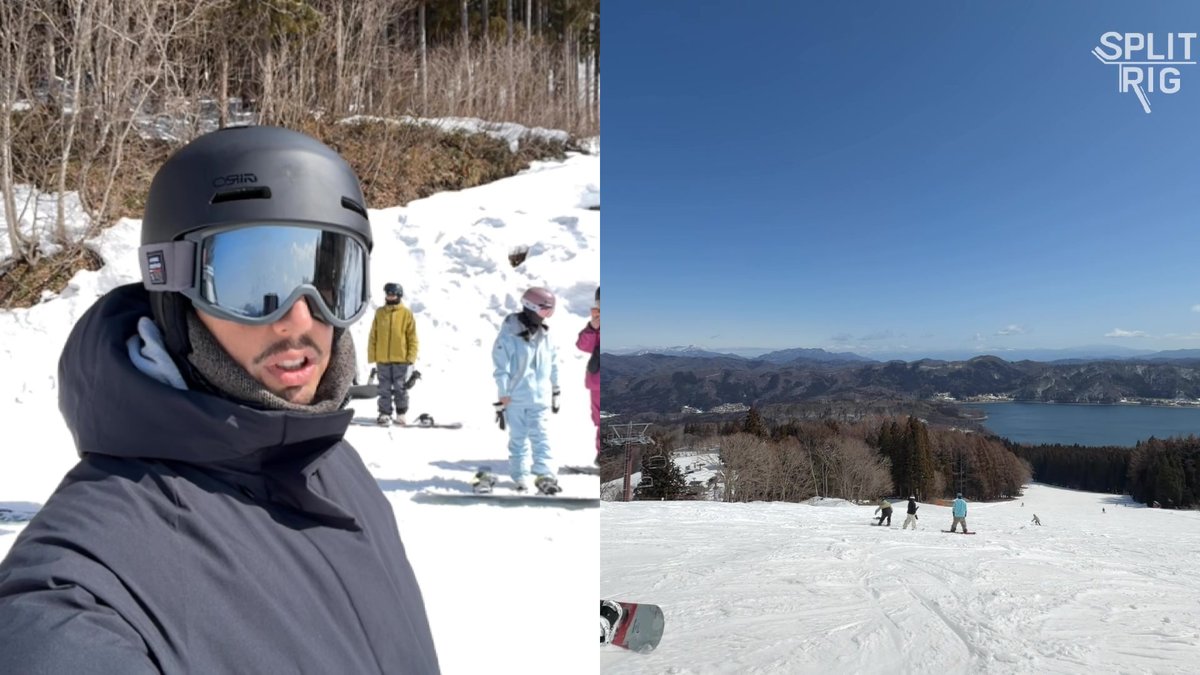 Vlog · Landscape
Snow vlog. Side-by-side. -
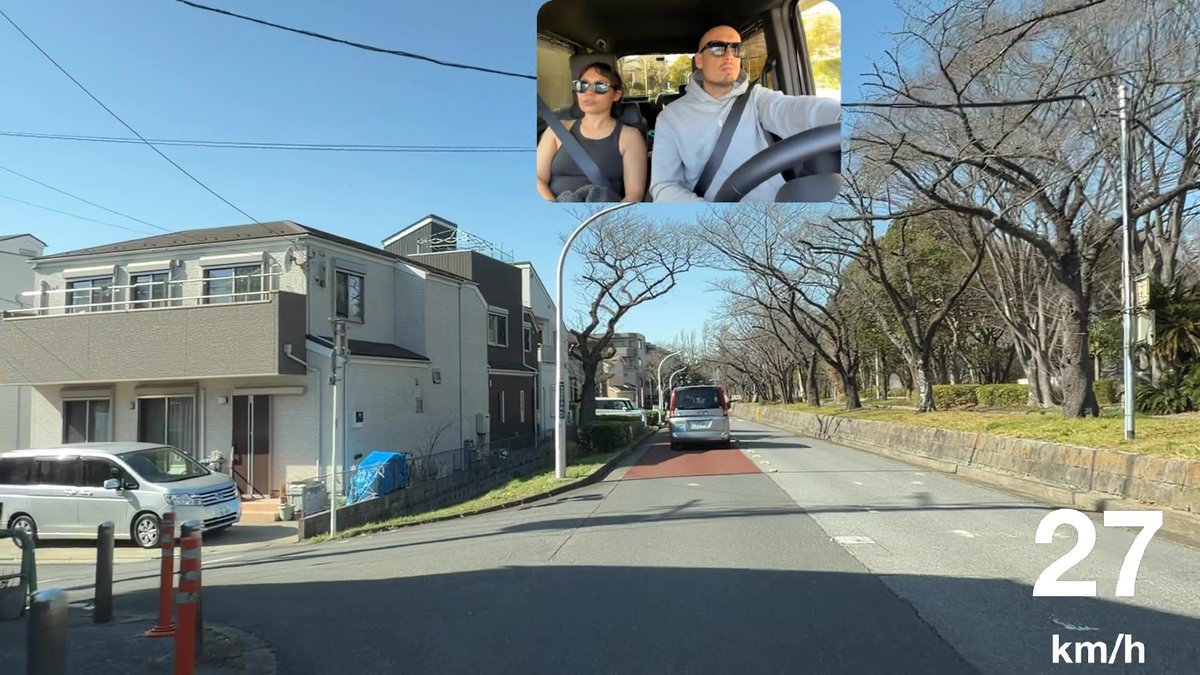 Drive · Landscape
Tokyo. The 3-second cut.
Questions, answered straight.
Direct answers to what real creators ask.
Does SplitRig record front and back camera at the same time?
Yes. SplitRig records the front and rear iPhone cameras simultaneously to a single video file, with frame-perfect sync. Layouts include Picture-in-Picture, Split Screen, Single Camera, and Face Mode (Neural Engine background removal).
Is SplitRig free?
Yes, completely free, with no in-app purchases, no subscription, and no ads. Every feature is unlocked from the first launch.
What resolution does SplitRig record at?
SplitRig records in Full HD (1080p) using HEVC encoding at up to 8 Mbps. The default frame rate is 30 FPS; you can switch to 24 FPS Cinematic for ~20% thermal savings, and Action Cam mode automatically captures at 60 FPS for ultra-smooth motion.
Are there any time limits on recording?
No. Unlike many dual-camera apps that cap recordings at 3 minutes, SplitRig records as long as you have storage and battery. The Iron Stream thermal management scales frame rate down rather than stopping the recording.
What iPhones does SplitRig support?
Every iPhone from iPhone 11 to iPhone 17 Pro, on iOS 26 or later. iPhone 16+ unlocks the Camera Control button. iOS 26 + AirPods Pro 2 / AirPods 4 / AirPods Pro 3 unlocks the AirPods stem remote.
Does SplitRig collect any data?
No. SplitRig collects zero personal data, has no analytics, and requires no account. All recordings stay on your device. The only optional permission beyond camera and microphone is location, and only if you turn on the Speedometer overlay.
How is Face Mode different from Picture-in-Picture?
Face Mode uses on-device person segmentation (the iPhone's Neural Engine) to remove your background entirely and overlay just your face on the rear-camera footage, like a virtual green screen. Picture-in-Picture keeps the front camera in a moveable window with its full frame intact.
Can I switch camera modes during recording?
Yes. You can switch between Face Mode, Picture-in-Picture, Split Screen, and Single Camera mid-recording without interruption. Zoom levels and camera swap also work mid-recording.
Does SplitRig work with Apple Watch?
Yes. The SplitRig Apple Watch companion gives you full control: start/stop, switch layouts, change zoom (with the Digital Crown), swap cameras, toggle flash, mute audio, and take screenshots, all without touching the iPhone.
Can I use external microphones?
Yes. SplitRig auto-detects USB-C microphones (Rode, Shure, etc.), Bluetooth headsets, AirPods, and Lightning audio interfaces. Audio captures at 48 kHz, perfectly synced with the video. You can hot-swap mics mid-session.
What activity types and overlays are supported?
Seven activity types: Walking, Running, Cycling, Driving, Skiing, Skating, General. Live overlays include Speedometer, Distance, Duration, Altitude, Pace, Goal Gauge, Sound Level Meter, and SplitRig Watermark: all draggable, resizable, and baked into the recording.
Why does SplitRig stay cool when other dual-camera apps overheat?
SplitRig's Iron Stream thermal management monitors the iPhone's thermal state and adaptively scales frame rate and bitrate so recordings keep running. Combined with Eco Mode (auto-dims the screen after 10 seconds), you can record marathon sessions where competitors hit a thermal cutoff at 10 minutes.
Can I use AirPods to start and stop recording?
Yes. On iOS 26 with H2-chip AirPods (AirPods Pro 2, AirPods 4, AirPods Pro 3), enable Camera Remote in Settings → [Your AirPods] → Camera Remote. A press on the stem then starts and stops recording in SplitRig, no need to touch the phone.
Built by one developer. For creators who don't compromise.
No subscriptions, no ads, no accounts, and the price stays zero. The next time the moment matters, hit record once and capture every angle.