SplitRig: dual camera app for iPhone SplitRig

Comparison

SplitRig vs Dualgram

Both record two iPhone cameras at once. One forces ads and a watermark you must pay to remove; the other has no ads and a logo that comes off free in one tap.

TL;DR

SplitRig and Dualgram both record the front and rear iPhone cameras at the same time, in picture-in-picture or split screen. The difference is the free tier. Dualgram is free but shows ads, stamps a watermark on saved videos that you can only remove by paying, and locks some layouts behind a Pro purchase (a yearly subscription or a one-time unlock). SplitRig is free with no ads, no locked layouts, no subscription, no in-app purchases, and no account. SplitRig has an optional logo that comes off free in one tap. Dualgram markets up to 4K 60fps; SplitRig records Full HD 1080p HEVC but adds eight live GPS and metric overlays (speed, distance, altitude, pace) burned into the video, a built-in teleprompter, on-device Face Mode background removal, an AirPods Camera Remote, and Iron Stream thermal management for long shoots. Dualgram has the longer track record; SplitRig is the newer, actively updated, ad-free pick whose logo comes off in one tap.
Feature
SplitRig
Dualgram
Price
Free, no ads, no IAP, no subscription
Free with ads · Pro: yearly subscription or one-time purchase
Ads on the free tier
None
Yes
Watermark on saved video
Optional SplitRig logo, removable free in one tap
Forced on free tier, pay (Pro) to remove
Layouts locked behind a purchase
None (all 4 free)
Some layouts are Pro-only
Layout modes
4 (PiP, Split Screen, Face Mode, Single)
2 (PiP, Split Screen 1:1 / 1:2)
Background removal (no green screen)
Face Mode (Neural Engine, on-device) + photo backdrops
No
Live GPS speed / distance / altitude overlays
8 overlays baked into recording
None
Built-in teleprompter
Yes, free (preview-only, scrolls at your own pace)
Yes (Pro)
Marketed max resolution
Full HD 1080p HEVC
Up to 4K, 60 fps
Action Cam mode (60 fps + Cinematic Extended)
Yes
No (cinematic stabilization, no dedicated action mode)
Apple Watch companion app
Full control (record, layout, zoom, flash, mute)
Yes (teleprompter scroll + recording control)
AirPods Camera Remote (iOS 26 + H2)
Yes
No
External microphone support
USB-C, Bluetooth, Lightning (48 kHz, hot-swap)
Bluetooth mic (Pro)
Thermal management
Iron Stream, scales down gracefully
No equivalent adaptive system
Account required
No, fully on-device
No
iOS support
iOS 26+ (iPhone 11 to 17 Pro)
iOS 15.0+ (broader range)
Update cadence
Actively updated (current v1.1.9)
Last updated 2023 (v1.27)

Where SplitRig pulls ahead

  • No ads, no locked layouts, and a logo that comes off free in one tap. Dualgram's free tier shows ads and stamps a watermark on saved videos that you can only remove with Pro, and unlocks more layouts only with Pro. SplitRig gives you every layout, ad-free, from first launch, and its optional logo removes in a single tap at no cost.
  • Eight live overlays baked into the recording: GPS speed, distance, altitude, pace, goal gauge, sound level, duration, and an optional watermark. Dualgram has no speed or GPS overlay at any tier.
  • Face Mode background removal on-device, using the Neural Engine. No green screen, no Pro purchase. Dualgram has no equivalent.
  • AirPods Camera Remote (iOS 26 + H2 chip), the iPhone 16 Camera Control button, and Iron Stream thermal management that scales the frame rate down gracefully on long shoots instead of hard-stopping.
  • Actively updated. SplitRig's current build is v1.1.9; Dualgram's last update was v1.27 in 2023.
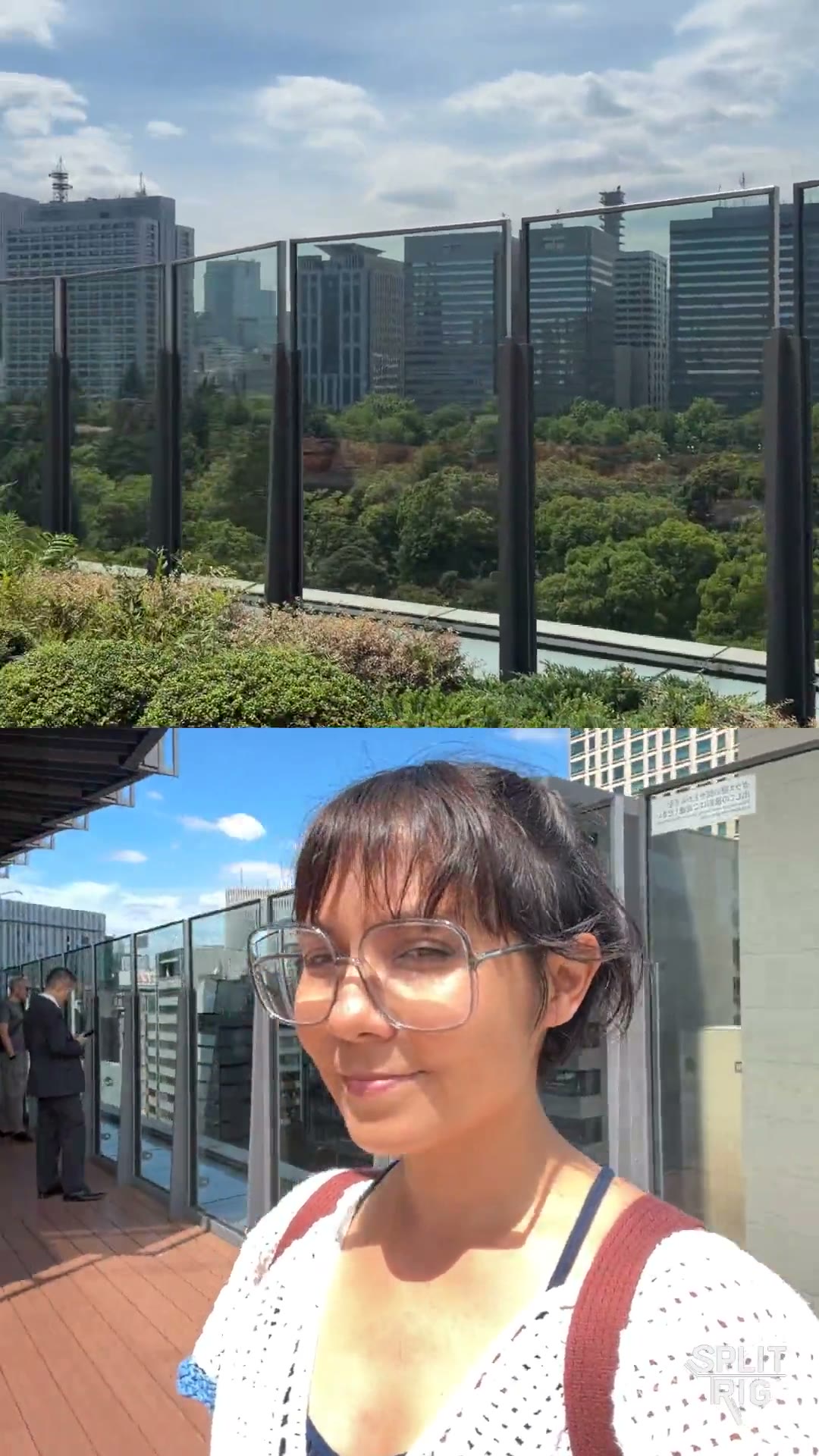
Split Screen: the Tokyo skyline over a rooftop selfie, shot on SplitRig
0:07

Shot on SplitRig. Split Screen.

The Tokyo skyline above, a rooftop selfie below.

Where Dualgram has the edge

Being honest builds trust. Here's where the other app does it better.

  • Teleprompter you can scroll from the Watch. Both apps now include a built-in teleprompter, but Dualgram's (Pro) can be scrolled from its Apple Watch app while you record. SplitRig's teleprompter is free and scrolls over the preview at your own pace, controlled on the phone.
  • Markets a higher capture ceiling. Dualgram advertises up to 4K at 60 fps; SplitRig records Full HD 1080p HEVC. If a 4K master matters more to you than overlays or an ad-free export, that is a real difference.
  • Longer track record and a larger review base. Dualgram has a 4.7-star rating across roughly 2,600 ratings built up over years on the App Store. SplitRig is newer with fewer reviews.

Common questions

Is Dualgram free?
Dualgram is free to download, but the free tier shows ads and stamps a watermark on saved videos that you can only remove by paying, and some layouts are locked behind a Pro purchase (a yearly subscription or a one-time unlock). Those prices have moved over the years, so check Dualgram's App Store listing for what it asks today. SplitRig is free with no ads, no locked layouts, no subscription, and no in-app purchases. SplitRig has an optional logo that comes off free in one tap.
Is there a Dualgram alternative where the watermark comes off for free?
Yes. SplitRig is a free dual-camera iPhone app whose watermark comes off free in one tap (the SplitRig logo is optional, and removing it costs nothing), with no ads and no Pro tier to unlock. Dualgram, by contrast, only removes its watermark if you pay. SplitRig records the front and rear cameras at once in picture-in-picture, split screen, Face Mode, or single-camera layouts.
What is the best free dual-camera app for iPhone?
For a genuinely free experience, SplitRig records both iPhone cameras at once with no ads and no locked layouts, plus eight live GPS and metric overlays and on-device background removal. It has an optional SplitRig logo that comes off free in one tap. Dualgram is a well-established alternative but its free tier carries ads and a watermark you can only remove by paying. SplitRig requires iOS 26 (iPhone 11 through iPhone 17 Pro); Dualgram supports iOS 15 and later.
Dualgram vs SplitRig: what is the difference?
Both record the front and rear cameras simultaneously in PiP or split screen, and both include a built-in teleprompter. Dualgram markets up to 4K 60fps, but its free tier has ads, a watermark you can only remove by paying, and locked layouts, and it was last updated in 2023. SplitRig records Full HD 1080p HEVC and is free with no ads and no locked layouts, and its optional logo comes off free in one tap. It adds live GPS or speed overlays, Face Mode background removal, an AirPods Camera Remote, and active thermal management, and it is updated regularly.

Pick SplitRig if

You want a free dual-camera app with no ads, no locked layouts, and a logo that comes off in one tap. You want live GPS or speed overlays for driving, cycling, running, or motovlogging, on-device Face Mode background removal, AirPods or Apple Watch control, or thermal-resilient long sessions.

Pick Dualgram if

You want to scroll a teleprompter from your Apple Watch while recording, you want a 4K master and don't mind the Pro purchase to remove the watermark, or you are on an iPhone or iOS version older than SplitRig's iOS 26 minimum.

Built by one developer. For creators who don't compromise.

No subscriptions, no ads, no accounts, and the price stays zero. The next time the moment matters, hit record once and capture every angle.