SplitRig: dual camera app for iPhone SplitRig

Comparison

SplitRig vs 2Cam Front+Back: a free 2Cam alternative

Looking for a 2Cam alternative? Both record the front and rear cameras. 2Cam puts a watermark on your videos that you pay to remove; SplitRig is free, with the logo off in one tap.

TL;DR

SplitRig is a free 2Cam alternative that records the front and rear cameras into one synced video, with no subscription. Both apps record both cameras, but 2Cam is free to download with a watermark you pay to remove and full use behind a subscription. SplitRig is free with everything unlocked: four layout modes (including Face Mode background removal), eight live overlays, Action Cam at 60 fps, Apple Watch and AirPods remote, and an optional logo that comes off free in one tap.

Download on the App Store

Free · no subscription · no ads

SplitRig
2Cam Front+Back
Records both cameras into one video
Yes
Yes
Price
Free. No subscription, no IAP, no ads
Free to download; subscription for full use
Watermark on video
Optional logo, off free in one tap
On free videos, pay to remove
Free recording
Unlimited, no cap
Limited free, then a subscription prompt
Layout modes
4 (PiP, Split Screen, Single, Face Mode)
2 basic layouts
Background removal (no green screen)
Face Mode, on-device Neural Engine
No
Live overlays
8 live overlays (GPS speed, distance, pace, more)
None
Apple Watch + AirPods control
Yes, hands-free
No
Action Cam mode (60 fps + stabilization)
Yes
No
Thermal management (long shoots)
Iron Stream, scales down gracefully
No equivalent
Onboarding simplicity
Tap a layout, record
Fewer choices on the first run

Where SplitRig pulls ahead

  • Genuinely free. No subscription, no in-app purchase, no ads. 2Cam is free to download, but its free tier stamps a watermark you remove by paying, and reviewers report that full use sits behind a subscription.
  • The optional SplitRig logo comes off free in one tap. 2Cam only lifts its watermark if you pay.
  • Four layout modes including Face Mode background removal. 2Cam offers two basic layouts.
  • Eight live overlay widgets baked into the recording (GPS speed, distance, pace, and more). 2Cam offers none.
  • Apple Watch and AirPods remote for hands-free recording, plus Action Cam at 60 fps and Iron Stream thermal management for long shoots. 2Cam has none of these.
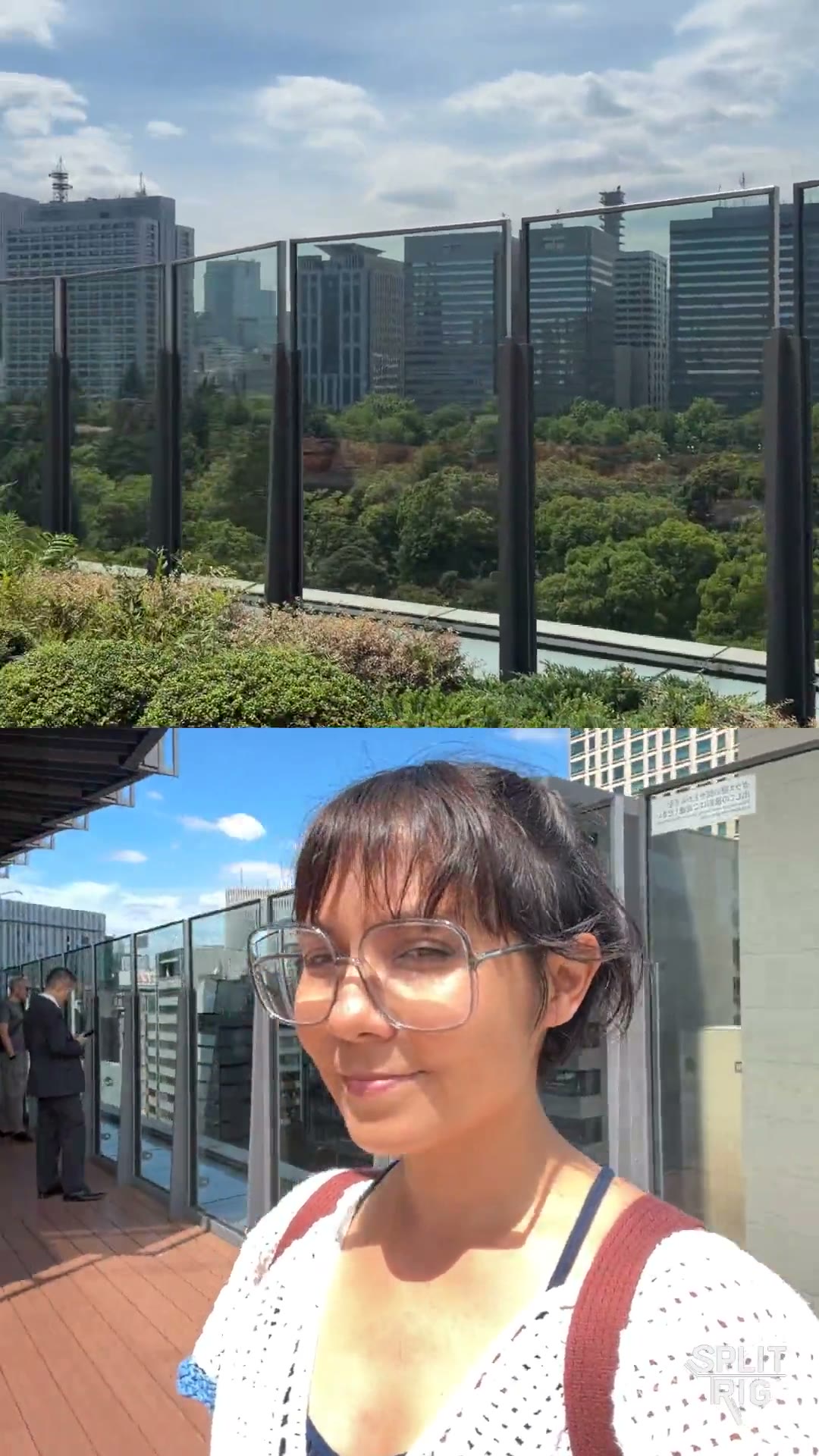
Split Screen: the Tokyo skyline over a rooftop selfie, shot on SplitRig
0:07

Shot on SplitRig. Split Screen.

The Tokyo skyline above, a rooftop selfie below.

Where 2Cam Front+Back has the edge

Being honest builds trust. Here's where the other app does it better.

  • A smaller, simpler app if you only ever need a single one-off front-and-rear clip.

Common questions

Both SplitRig and 2Cam are free to download. What is the difference?
The free experience. 2Cam stamps a watermark on your videos that you remove by paying, and puts full use behind a subscription. SplitRig is actually free: no subscription, no in-app purchase, no ads, an optional logo that comes off free in one tap, four layouts (including Face Mode background removal), eight live overlays, and Apple Watch and AirPods control.
Is SplitRig a good 2Cam alternative?
Yes. SplitRig is a free 2Cam alternative that records the front and rear cameras into one synced video with no subscription, and its optional logo comes off free in one tap. It adds four layout modes, eight live overlays, Action Cam at 60 fps, Apple Watch and AirPods remote, and Iron Stream thermal management, so it keeps up well beyond a one-off shot.
When would I still pick 2Cam over SplitRig?
If you genuinely need a single one-off front-and-rear recording and will not use the app again, 2Cam is a smaller, simpler install. For anything beyond a one-time shot, SplitRig gives you far more, free, which makes it the better long-term choice.

Pick SplitRig if

You record dual-camera more than once. You want zero cost with no subscription, four layouts (including background removal), live overlays, Apple Watch and AirPods control, and thermal-resilient long shoots, all free.

Pick 2Cam Front+Back if

You truly only need a one-time front-and-rear recording, and a simpler app with fewer choices suits that.